
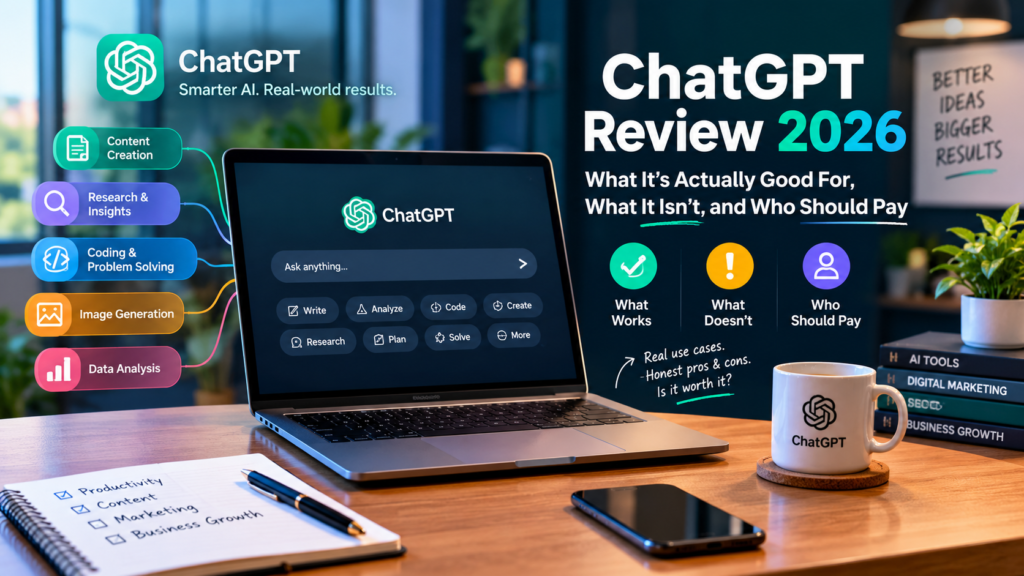

Millions of people use ChatGPT every day. Far fewer have a clear sense of what it’s genuinely good at, versus where it quietly falls short. This ChatGPT review is built to close that gap. Instead of a generic feature list, you’ll get a practical look at what ChatGPT handles well. You’ll also see what it doesn’t, and whether upgrading from the free tier actually makes sense for your situation.
This matters because ChatGPT’s lineup has grown more complex, not simpler, as the product has matured. What started as one free chatbot is now six different plans. Prices range from free to $200 a month, each with genuinely different capabilities attached. In this ChatGPT review, you’ll get a full breakdown of its pros and cons. You’ll also see a real business case study showing it in actual use, plus a comparison of the pricing tiers. Finally, you’ll find answers to the questions people ask most before deciding whether to pay for it.
ChatGPT Review Basics: What Is ChatGPT?
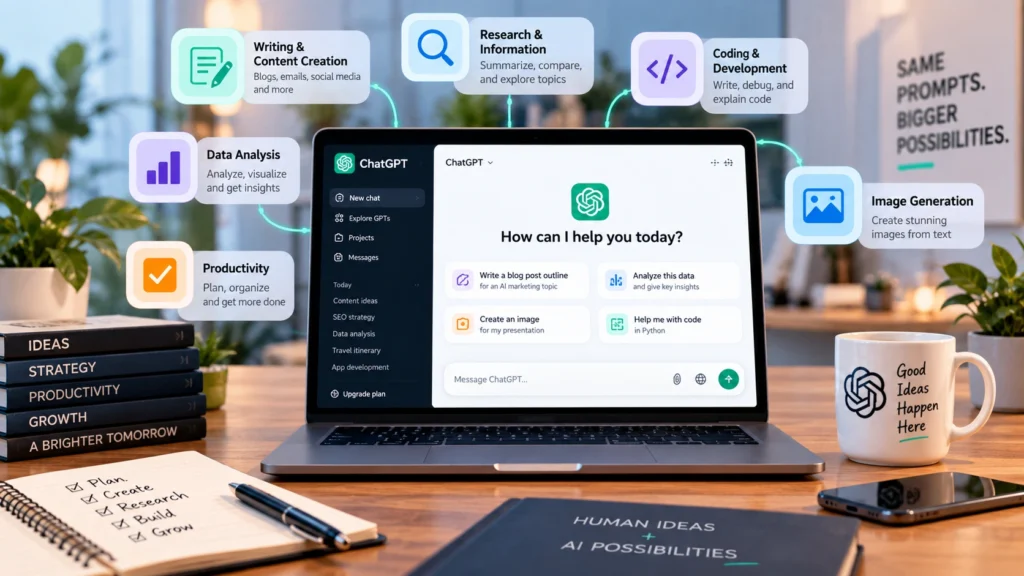
ChatGPT is a conversational AI assistant developed by OpenAI. It can answer questions, draft writing, and analyze documents. It also generates images, writes and debugs code, and increasingly, takes multi-step actions on a user’s behalf through its Agent mode. It’s accessible through a free tier with usage limits. Several paid tiers unlock higher usage caps and more advanced capabilities.
In short, ChatGPT works best as a flexible, general-purpose assistant rather than a tool built for one specific job. That flexibility is both its biggest strength and, as this review covers below, part of where it runs into real limitations.
Who This Review Is For
This guide is written for anyone deciding whether ChatGPT deserves a spot in their daily toolkit. That might be a solo freelancer weighing the free tier against Plus. It might also be a small business owner trying to figure out if Business makes sense for a growing team. Rather than repeating marketing claims, this ChatGPT review draws on actual day-to-day use across writing, research, and technical tasks.
What Makes This ChatGPT Review Different
Most reviews of AI tools fall into one of two camps: uncritical praise written by affiliates, or dismissive skepticism from people who tried the tool once and moved on. This review aims for something more useful. It treats ChatGPT as a genuinely capable tool with real, specific limitations, based on sustained use across writing, research, and coding tasks, rather than either extreme.
(For a broader look at how ChatGPT fits into a connected automation stack, see our related guide.) It covers n8n Automation in more depth.
ChatGPT Review 2026: What It’s Actually Good For
Based on real, everyday use across writing, research, and technical tasks, a few strengths stand out consistently.
Fast, Flexible First Drafts
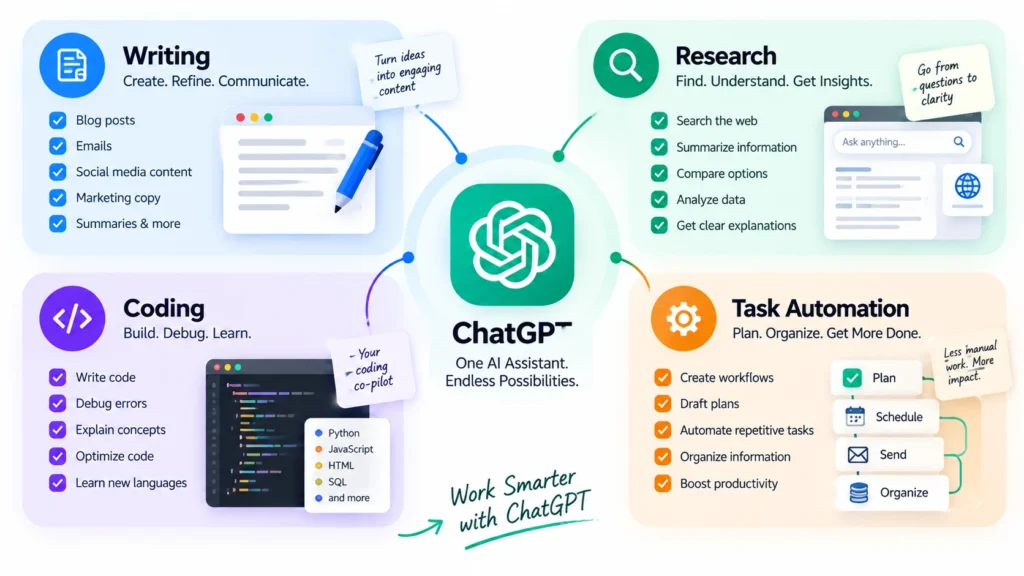
ChatGPT excels at producing a usable first draft quickly. This applies whether that’s an email, a blog outline, or a piece of marketing copy. It rarely gets stuck on a blank page the way a person sometimes does. This makes it genuinely useful for breaking through the initial friction of starting a task.
Research and Explanation for Unfamiliar Topics
For understanding a new concept or getting oriented in an unfamiliar subject, ChatGPT explains things clearly. It can adjust its depth based on how the question is phrased. Its Deep Research capability, available on paid tiers, can also compile more thorough, multi-source summaries for genuinely complex questions.
Coding Help and Debugging
Developers consistently report ChatGPT as a strong pair-programming partner. It’s particularly useful for debugging error messages, explaining unfamiliar code, and scaffolding new projects quickly. Its Codex-related features on paid tiers extend this further into more autonomous coding tasks.
Everyday Task Automation Through Agent Mode
Agent mode, available on paid plans, lets ChatGPT take multi-step actions on a user’s behalf. It can research a topic and compile findings, rather than just answering in a single response. This shifts ChatGPT from a pure chatbot toward something closer to a genuine assistant for repetitive digital tasks.
ChatGPT Review: Pros and Cons, the Honest Breakdown
No tool is universally good at everything. Here’s a genuinely balanced look at both sides. A fair ChatGPT review needs to cover the weak points just as much as the strengths.
The Real Pros
- Broad flexibility. One tool handles writing, research, coding, and basic image generation, reducing the need to juggle several separate apps for different tasks.
- Low barrier to entry. The free tier lets anyone try it immediately, with no setup required beyond creating an account.
- Strong general knowledge. It handles a genuinely wide range of topics competently, even if it isn’t a deep specialist in any single one.
- Frequent capability updates. OpenAI updates the underlying models regularly. This means the tool’s capabilities tend to improve over time without requiring any action from the user.
The Real Cons
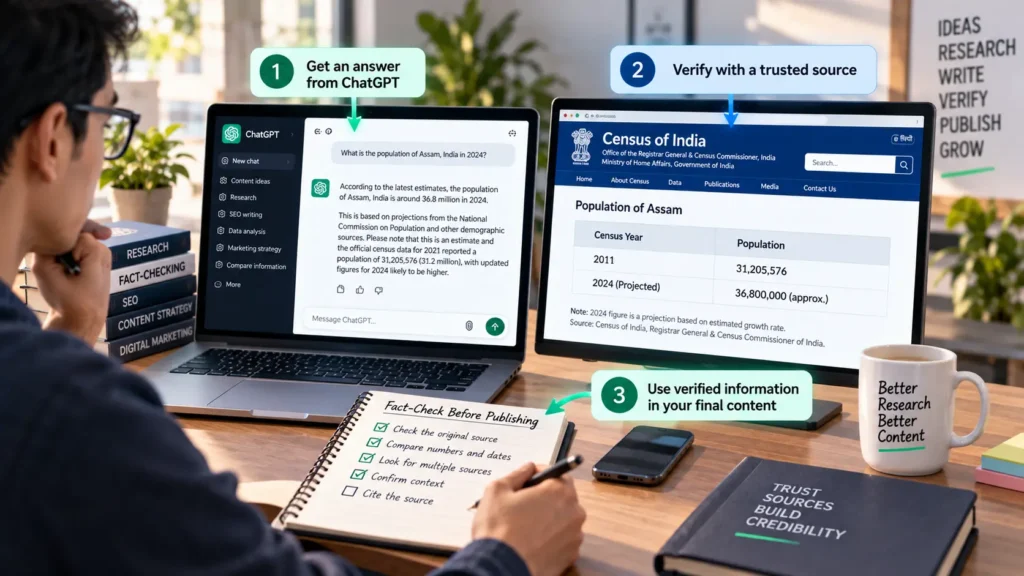
- Accuracy still requires verification. Like any AI system, ChatGPT can state incorrect information confidently. Anything factual or consequential still needs a human check before you rely on it.
- Free tier limits hit quickly for regular use. Casual users won’t notice, but anyone using it daily for real work tends to hit message caps and feature restrictions faster than expected.
- Data handling varies by plan. On the Free, Go, Plus, and Pro consumer plans, conversations may be used to train future models unless you specifically opt out. Business and Enterprise plans exclude this by default.
- No single tool does everything best. For tasks requiring deep, specialized reasoning across very long documents or highly technical domains, dedicated tools sometimes outperform a general-purpose assistant.
ChatGPT Review 2026:How These Pros and Cons Play Out in Practice
Reading a list of strengths and weaknesses is one thing. Seeing how they actually surface day-to-day is more useful. A common pattern looks like this: ChatGPT saves genuine time on the first 80% of a task- drafting, outlining, researching- but the final 20%, verifying facts, adjusting tone, catching subtle errors, still needs a human. Users who internalize this split tend to get consistently good results. Users who expect the tool to handle everything end-to-end are the ones most likely to be disappointed by a factual slip they didn’t catch in time.
ChatGPT Review: Pricing in 2026 and Which Plan Is Worth Paying For
Choosing the right tier matters more than it might seem. The gap between plans covers real capability, not just usage volume.
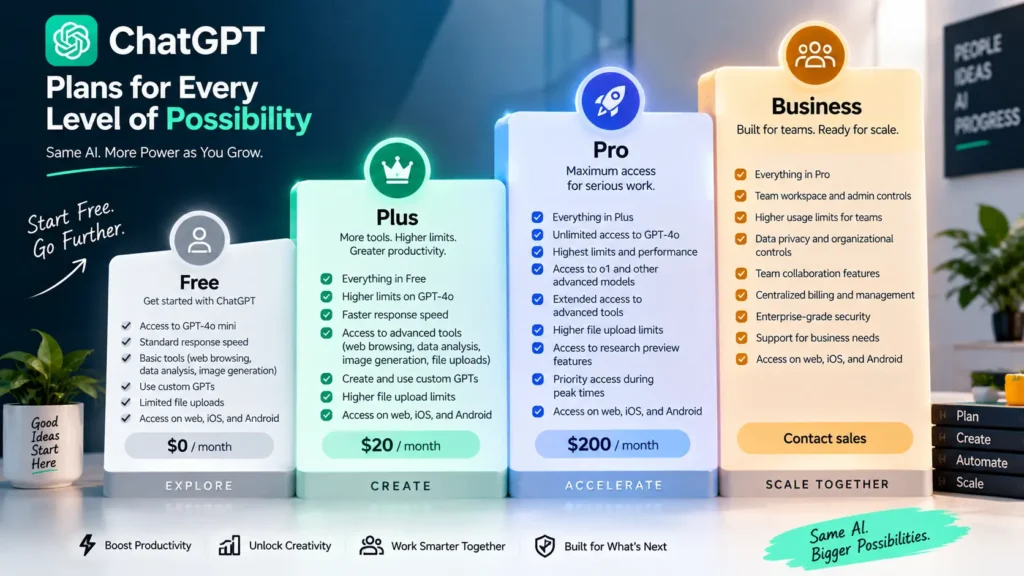
Free: Fine for Occasional, Casual Use
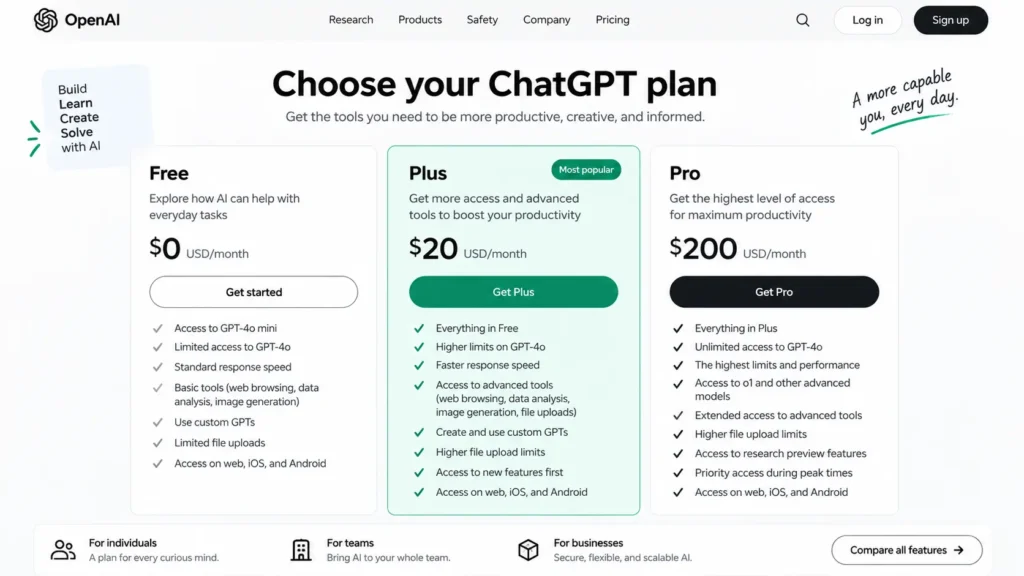
The free tier covers basic conversations with limited messages, uploads, and image generation. It’s genuinely useful for trying ChatGPT out or handling occasional questions. However, it now includes ads and lacks Agent mode entirely.
Plus ($20/Month): The Practical Starting Point for Regular Use
This is where ChatGPT becomes a genuinely professional tool. Plus removes ads, unlocks Agent mode, and expands Deep Research access. It also provides higher usage caps meaningfully across the board. For anyone using ChatGPT several times a week for real work, this tier is the realistic starting point.
Pro ($100–$200/Month): Built for Heavy, Professional Usage
Pro significantly raises usage ceilings and adds priority access to the most capable models. It includes substantially more Deep Research runs monthly than Plus provides. This tier makes sense specifically for users who regularly hit Plus’s limits. It’s not meant as a default upgrade for typical use.
Business and Enterprise: Built for Teams
Business, priced per seat monthly, adds team management controls. It also excludes conversations from model training by default, a meaningful difference from the consumer tiers. Enterprise adds custom data residency, security controls, and support, built for larger organizations with compliance requirements.
(Pricing and plan details change frequently.) Confirm current rates directly on OpenAI’s official pricing page before subscribing.
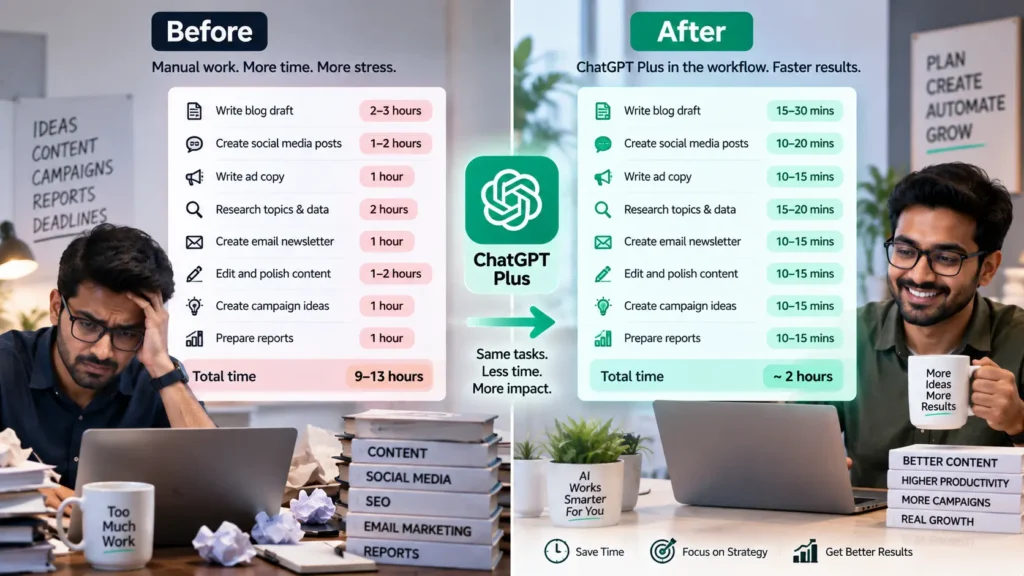
A Real-World Case Study: ChatGPT in Daily Use at a Small Marketing Agency
To make this ChatGPT review concrete, consider how a small marketing agency actually incorporated the tool into its daily workflow.
ChatGPT Review:The Starting Problem
A five-person agency was spending significant time each week on three things. First-draft social captions, client email responses, and basic research before client calls all ate into the week. These tasks were repetitive but still required a human touch to finalize properly.
ChatGPT Review:Adopting ChatGPT Plus
The team upgraded to Plus specifically for Agent mode and higher usage limits. They used it to draft initial versions of routine client communications. Quick competitive research summaries before meetings became another regular use case. A team member always reviewed and edited before anything went out.
ChatGPT Review:Where It Didn’t Replace Judgment
The team quickly learned not to treat ChatGPT’s output as final. A few early drafts contained subtly incorrect claims about a client’s industry. A team member caught this only because they reviewed carefully before sending. This reinforced a simple internal rule: ChatGPT drafts, a human approves.
ChatGPT Review:The Outcome
Draft creation time for routine communications dropped meaningfully. This freed account managers to spend more time on strategy and client relationships, rather than first-draft writing. The team estimated the $20 monthly cost paid for itself within the first week, purely on time saved on repetitive drafting tasks.
ChatGPT Plans Compared: A Quick Reference
Before deciding which tier fits your needs, here’s a side-by-side look at the core differences this ChatGPT review has covered.
| Plan | Monthly Price | Ads | Agent Mode | Best For |
|---|---|---|---|---|
| Free | $0 | Yes | No | Occasional, casual use |
| Go | $8 | Yes | No | Slightly heavier casual use |
| Plus | $20 | No | Yes | Regular individual professional use |
| Pro | $100–$200 | No | Yes | Heavy, daily power users |
| Business | ~$20–25/seat | No | Yes | Small to mid-sized teams |
| Enterprise | Custom | No | Yes | Large organizations with compliance needs |
As the table shows, the jump from Free to Plus represents the biggest genuine capability change in the entire lineup. It’s not just a modest usage increase.
Troubleshooting Common Issues: A ChatGPT Review of What Goes Wrong
A few problems come up often enough to be worth addressing directly.
Responses Feel Generic or Off-Brand
Provide more specific context in your prompt, including tone, audience, and concrete examples of what you want. Vague prompts reliably produce vague, generic output, regardless of which plan you’re on.
Hitting Usage Limits Unexpectedly
Check which plan you’re on and what its specific caps are. Limits vary meaningfully between Free, Go, Plus, and Pro. If limits interrupt real work regularly, that’s a genuine signal to consider upgrading, rather than a bug to troubleshoot around.
Concerned About Data Privacy
Review your account’s data control settings, since consumer plans allow opting out of having conversations used for training. For business use involving sensitive information, Business or Enterprise plans exclude this by default.
Output Contains Factual Errors
Treat this as expected behavior, not a malfunction. Any AI assistant can state incorrect information confidently. Verify anything factual or consequential independently before relying on it, especially for client-facing or published work.
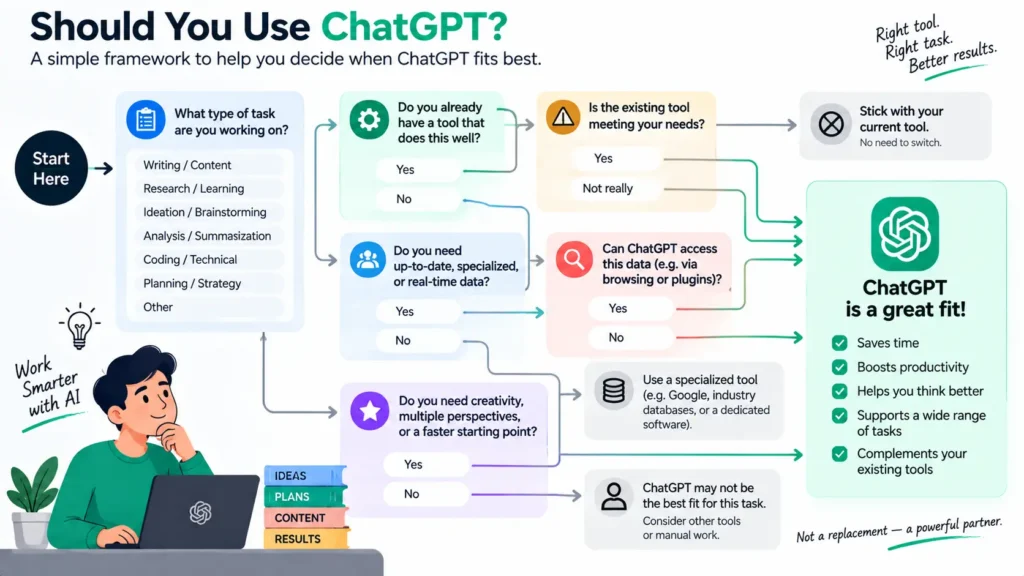
Should You Use ChatGPT, or Consider an Alternative?
Part of any honest ChatGPT review means being upfront about when a different tool might genuinely fit better.
When ChatGPT Is the Right Choice
ChatGPT tends to be the strongest pick for general, flexible use, drafting, brainstorming, coding help, and everyday research, especially when you want one tool that handles a wide range of tasks reasonably well rather than several specialized tools. Its broad ecosystem of integrations and frequent updates also make it a practical default for most individual users and small teams.
When a Different Tool Might Serve You Better
For highly specialized needs, extremely long document analysis, certain coding-specific workflows, or tasks demanding a particular style of reasoning, other AI assistants sometimes offer a better fit. The honest answer is that no single AI tool, ChatGPT included, is objectively the best choice for every situation. Testing a task against more than one assistant before committing to a workflow is a reasonable habit, not a sign that ChatGPT itself is lacking.
Why This Review Avoids Declaring One Universal Winner
Plenty of comparison articles claim one AI assistant beats all others outright. In practice, the right choice depends heavily on the specific task, your existing tools, and your team’s workflow. This ChatGPT review focuses on helping you understand what ChatGPT itself does well, rather than making a sweeping claim that applies equally to every reader’s situation.
Frequently Asked Questions About ChatGPT
Is ChatGPT actually good, or is it overhyped?
It depends on the task. ChatGPT is genuinely strong for drafting, research, coding help, and everyday task automation. It’s less reliable for tasks requiring guaranteed factual precision without human verification. Treat it as a capable assistant rather than an infallible source.
What are the biggest ChatGPT pros and cons?
The biggest pros are flexibility, low barrier to entry, and frequent capability improvements. The biggest cons include the need to verify factual claims and quickly hitting free-tier limits for regular use. No single tool, including ChatGPT, is the best option for every specialized task either.
Is ChatGPT Plus worth $20 a month?
For anyone using ChatGPT several times a week for real work, yes, generally. The jump from Free to Plus removes ads, unlocks Agent mode, and meaningfully raises usage limits. This tends to justify the cost quickly for regular users.
Does ChatGPT use my conversations to train its models?
On Free, Go, Plus, and Pro consumer plans, conversations may be used for training unless you opt out in your account settings. Business and Enterprise plans exclude this by default, which matters for organizations handling sensitive information.
Can ChatGPT replace a human writer or researcher entirely?
No. It significantly speeds up drafting and initial research. However, genuine expertise, fact-checking, and strategic judgment still require human review, as the marketing agency case study above illustrates directly.
How does this ChatGPT review differ from a simple feature list?
This review focuses on real, practical use rather than a marketing-style capability rundown. It includes a genuine case study, honest pros and cons, and pricing guidance based on actual usage patterns, not just headline features.
Final Thoughts: Is ChatGPT Worth Using in 2026?
This ChatGPT review comes down to a simple conclusion. ChatGPT remains one of the most genuinely useful general-purpose AI tools available, provided you understand both its real strengths and its real limitations going in. It excels at drafting, research, and coding help. Agent mode extends that further into genuine task automation.
However, it still requires human review for anything factual or consequential. The free tier’s limits mean regular users will likely need to consider a paid plan sooner than they expect. Start with the free tier to get a genuine feel for how it fits your actual workflow. Then, upgrade to Plus once you’re hitting real limits on a regular basis. Over time, this measured approach- testing before committing- tends to produce a much better sense of whether ChatGPT genuinely earns a place in your daily tools.
Ready to see how ChatGPT fits into a broader automation workflow? Check out our guide on n8n Automation to see how it connects with other tools for genuine task automation.